See Beyond Tech

  • Subscribe to our RSS feed.
  • Twitter
  • StumbleUpon
  • Reddit
  • Facebook
  • Digg
Showing posts with label adobe. Show all posts

Saturday, 24 July 2010

Converting Adobe PDF Files to Text or HTML

Posted on 20:07 by Unknown
Chances are that you come across a lot of PDF files everyday, at work, school or home. PDF (which stands for Portable Document Format by the way) files are great as they often preserve the formatting of the text even if you don't happen to have a font installed. They also preserve the layout and images in the document. Also, it's free to create PDF files from several applications like OpenOffice, Microsoft Office and you can usually even print web pages to a PDF file.

However, one big problem with a PDF file is that you need a PDF reader to view it. Although Macs, and GNU/Linux based PCs come with individual readers, and Adobe's reader is a free download for windows users, other platforms sometimes don't have readily available or free readers.


For instance, BlackBerrys, iPhones and many other portable devices don't have a full fledged PDF reader built in. So, ironically, the PDF file isn't so portable after all, since you're out of luck when it comes to a mobile device.

However, sometimes there are files where the content is more important than the layout, and the content is mostly text (like ebooks or project instructions or a letter). In such cases it is often more desirable to just have a text file or a html file instead.

Luckily, Adobe provides some really easy ways to convert the PDF documents.

Option 1: Email To convert a PDF to text, simply email the document to pdf2txt@adobe.com! After converting the document, the service will email you back with the text file attached. Similarly, you can also email a PDF to pdf2html@adobe.com and you'll receive a html file attached in the returned email instead.

Option 2: Online Link to the document Alternatively, if the document happens to be online, you can visit Adobe's online conversion tools page, and convert the documents from there.
This way, if it's something simple like a file full of text, you wont need a PDF viewer to view the information in it. Plus, if you happen to need raw data (for a program that you may be writing, say) from a PDF file, this in a great way to convert the file!
Read More
Posted in adobe, tip | No comments

Tuesday, 23 December 2008

Download Free Adobe Illustrator CS3 and CS4 Alternatives

Posted on 16:32 by Unknown
Luckily, you don't have to spend a cent to use products that are just like Adobe Illustrator. In fact, there are several free alternatives that you can download free of cost (provided you have an Internet connection of course) and create art that is just as good if not better than the art you can create in Illustrator. Plus, there are several websites out there that have tutorials related to this software.

So, without further ado, here are some bad-karma free alternatives that you can use instead of Adobe Illustrator CS 4 or CS 3 or whatever version that you wanted to initially use.

Free alternatives for Adobe's Illustrator (or Vector editing software)

Note some of the software here is Linux only (yes, that's right, only runs on linux!) but fear not, take a look at my guide where I mention how to run Linux applications on Windows.

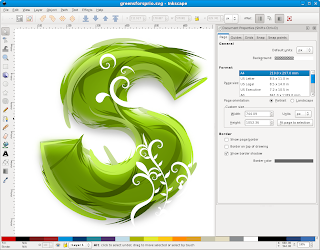
1. Inkscape (Windows, Linux, Mac) - Inkscape is a great piece of free and open source software that can do just about anything Illustrator can do. Bezier curves, typography, an infinite canvas, you name it. Although you will likely have to learn some new tricks and learn Inkscape from scratch if you're used to Illustrator, having free software that you can use whenever you want is always a good thing. It's also the only open source alternative that turns on any platform of your choice.


2. Skencil (Linux / Unix only) - While being Linux only, it is still a very powerful tool to help you create vector art. Check out the preview below! It comes with the Illustrator look and feel and also has similar features. Plus its free too! (well, actually, everything on this page is)


3. Xara LX (Linux only) - Linux only, but boy does it do interesting stuff. It has all the standard tools found in Illustrator, bezier curves and all and has the potential to produce great quality art. Definitely worth a look.


4. OpenOffice Draw (All platforms comes along with OpenOffice.org) - While most people don't find OpenOffice draw to be anything special, people who do not wish to spend the time on learning complex software like InkScape or Illustrator can still take advantage of a much simpler editing program. It's perfect for doing little posters, banners or greeting cards or something with a minimal amount of effort. And you can always save your stuff in a variety of formats.


5. Gimp - While GIMP is almost always known as a raster/bitmap imaging application, You can always still use it to do Illustrator like stuff, provided the factor of scalability that you need isn't as great and the art you are doing is somewhat simple.

There you have it, 5 great alternatives for illustrator, all freely available on the Internet. Also, if you are probably going to use the software for commercial uses, you might want to be kind and donate some money to the developers, however, downloading the applications (and... gasp... their source code!) is completely gratis (or free).
Read More
Posted in adobe, downloads, free, internet | No comments

Saturday, 6 October 2007

Adobe CS3 screensaver for Mac and Windows Download

Posted on 17:10 by Unknown

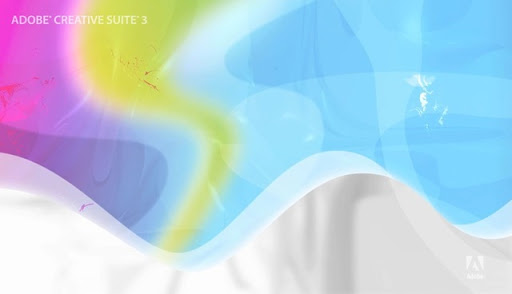
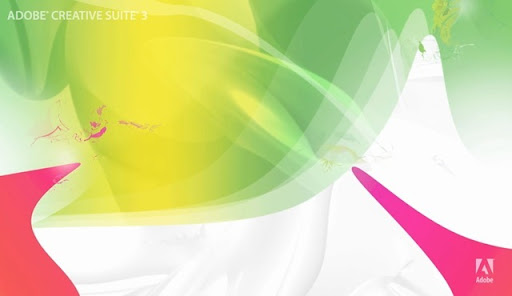
Ever wanted to know how Steve Jobs felt like when he was on acid? Well, now you can! It's called the Adobe CS3 Screensaver. I call it virtual LSD. No kidding.

Okay, fine, I admit that the screensaver really does look good and I'm sure you'll agree too. It might be a bit abstract for some peoples' tastes, but I seem to like it anyway. You might want to keep in mind that if you computer is slow, it might not run the screensaver as well as a fast computer would. Also, you'll be needing QuickTime (yikes!) to run the screensaver. Quite memory intensive indeed.

So without further ado, here are the download links to the Adobe CS3 wallpaper.

Download the CS3 screensaver for Windows (about 10.1 MB)

Download the CS3 screensaver for the Mac (about 10.6 MB)

Oh and by the way if you are on Windows (if you are on a mac, you most likely won't have to worry about this) and want to use the screensaver, you'll have to first ensure that QuickTime can play flash tracks. Here's how to do that:

  1. Click the Start button > QuickTime > QuickTime Player > Edit > Preferences > QuickTime Preferences...
  2. Once in the preferences window, go to the 'Advanced' tab
  3. Check the box that says 'Enable playback of Adobe Flash tracks'

Now, a couple screenshots to show you what virtual acid looks like (you can click on them to see the bigger version if you wish) :

cs3wallpaper

cs3wallpaper2

cs3wallpaper3

Read More
Posted in adobe, downloads, free, internet | No comments

Sunday, 16 September 2007

An update to Adobe Shockwave Player is available?

Posted on 08:38 by Unknown
Ok, seriously, I thought Adobe was the creator of Photoshop right? Then what's up with the ugly "update your shockwave player" screens? Seriously though, at first I was reluctant to even click on the install button fearing that it was some kind of evil malicious spyware thing that might infect my already pre-infected Windows machine.

Anyway, I just went ahead and clicked on the install link anyway, and turns out it is the real deal, no spyware here. Still, I think adobe should update their ways of updating, and stop scaring people like this with ugly screens.

Oh and if anyone is wondering about the install.. it goes something like this:
  1. Internet Explorer asks you if you want to install an ActiveX control. I click install...
  2. Then it asks you for which language you want.. I choose English US..
  3. Then it asks if I want to install google reader.. I say what the flip, is evil google really trying to take over the world, and I uncheck the box and move on..
  4. Then it says RESTART YOUR COMPUTER? What?

Ok, wait, so I'm supposed to restart my computer to finish installation of a think called shockwave player? Why? This doesn't even make any sense. Oh well, I guess its no use about talking to big giants like Google and Adobe, they never seem to listen.

Read More
Posted in adobe, installs, Windows, wtf | No comments
Older Posts Home
Subscribe to: Posts (Atom)

Popular Posts

  • WeTransfer Job Ad
    I like using WeTransfer to transfer things that don't fit in emails, mainly because the site is fast, has a large upload limit (2GB!) an...
  • Improving engine life and saving gas by putting your car on neutral at the lights
    You might have read my article about how my friend told me that putting your car on neutral while going downhill saves some gas and my tho...
  • Contact Me!
    Okay so you want to contact me for something? No Problem! E-Mail You can send all your questions , comments , tips (I need a lot of those)...
  • Fix the “programs still need to close” problem in Windows 7
    One sad thing about Windows 7 is that sometimes, it gets a little confused. Especially if you have applications like Norton or any similar a...
  • Google Easter Egg: Change your language to Bork! Bork! Bork!
    Just recently I was watching a video of Marissa Meyer talking about how Google goes about optimizing their site to incease performance and u...
  • How to find out if a .exe process is spyware or virus
    Windows XP has thousands and thousands of .exe files, and usually a lot of those executables are running at any given time. But are all of t...
  • Top 6 Gmail Tips
    Gmail is probably one of the best free webmail services out there given the enormous number of features it has. Plus, chances are good that ...
  • Free up some more hard drive space on your Windows 8 installation
    I've been using Windows on my mac quite often recently, and although I had budgeted 65 GB of my precious SSD space to windows, it seems ...
  • iPhone Searching... No Service/No Reception Problem
    Short answer: Turn of iMessages and try sending a text message to yourself to see if you get your network connection back. Explanation: Th...
  • Using Speech Recognition in Windows 7
    If there’s one area where Windows is way ahead of every other operating system in the world, it has to be Speech Recognition. There is no ot...

Categories

  • addons
  • adobe
  • ads
  • adsense
  • apple
  • audio
  • blackberry
  • blog
  • blogger
  • blogging
  • cars
  • cellphones
  • clean
  • code
  • comments
  • cricket
  • downloads
  • ebooks
  • email
  • error
  • file sharing
  • firefox
  • fixes
  • free
  • games
  • gas
  • Gmail
  • google
  • hack
  • hotmail
  • installs
  • instant messaging
  • internet
  • internet explorer
  • ipod
  • laptop
  • Linux
  • Live Writer
  • lol
  • Mac
  • mac. mail
  • mail
  • messenger
  • microsoft
  • Microsoft Word
  • money
  • msn
  • music
  • Musings
  • network
  • news
  • online
  • Outlook
  • page
  • peripherals
  • phones
  • photo
  • photoshop
  • php
  • plagiarism
  • problems
  • productivity
  • programming
  • projects
  • rant
  • Registry
  • Review
  • school
  • Screenshots
  • search
  • security
  • software
  • spam
  • speech
  • speed up windows
  • spyware
  • sysfader
  • technology
  • tip
  • tricks
  • tutorials
  • ubuntu
  • updates
  • video
  • virus
  • voip
  • web
  • wi-fi
  • Windows
  • Windows 7
  • Windows Vista
  • Windows XP
  • wireless
  • work
  • wtf
  • youtube

Blog Archive

  • ▼  2013 (5)
    • ▼  October (2)
      • WeTransfer Job Ad
      • iPhone Searching... No Service/No Reception Problem
    • ►  August (2)
    • ►  March (1)
  • ►  2012 (6)
    • ►  December (1)
    • ►  October (1)
    • ►  June (1)
    • ►  May (1)
    • ►  January (2)
  • ►  2011 (19)
    • ►  October (1)
    • ►  August (1)
    • ►  July (8)
    • ►  June (1)
    • ►  February (4)
    • ►  January (4)
  • ►  2010 (41)
    • ►  November (1)
    • ►  October (3)
    • ►  September (3)
    • ►  August (2)
    • ►  July (12)
    • ►  June (2)
    • ►  May (5)
    • ►  April (3)
    • ►  March (4)
    • ►  February (4)
    • ►  January (2)
  • ►  2009 (59)
    • ►  December (1)
    • ►  November (1)
    • ►  October (1)
    • ►  September (3)
    • ►  August (4)
    • ►  July (4)
    • ►  June (14)
    • ►  May (1)
    • ►  April (3)
    • ►  March (3)
    • ►  February (4)
    • ►  January (20)
  • ►  2008 (108)
    • ►  December (22)
    • ►  November (10)
    • ►  October (14)
    • ►  August (13)
    • ►  July (13)
    • ►  June (6)
    • ►  May (13)
    • ►  April (10)
    • ►  March (5)
    • ►  January (2)
  • ►  2007 (33)
    • ►  December (8)
    • ►  November (1)
    • ►  October (4)
    • ►  September (10)
    • ►  August (1)
    • ►  July (2)
    • ►  June (1)
    • ►  May (2)
    • ►  April (1)
    • ►  February (2)
    • ►  January (1)
  • ►  2006 (137)
    • ►  December (1)
    • ►  November (1)
    • ►  October (1)
    • ►  August (1)
    • ►  July (3)
    • ►  June (9)
    • ►  May (20)
    • ►  April (22)
    • ►  March (33)
    • ►  February (20)
    • ►  January (26)
  • ►  2005 (55)
    • ►  December (12)
    • ►  November (19)
    • ►  October (9)
    • ►  September (15)
  • ►  2001 (1)
    • ►  January (1)
Powered by Blogger.

About Me

Unknown
View my complete profile